My son Fitz Raj is visiting me this week for his Spring Break. He is 14 now and likes to help me with my website. The six color themes on rajiv.com were designed by him using Claude Code. So this week, with Fitz around and some time to spare, I decided to tackle a problem I had been putting off: the broken images scattered across my older blog posts.
For years, I hosted my photo albums on Smugmug using my custom domain, photos.rajiv.com. When I decommissioned that hosting last year, I knew the links would break. What I did not fully appreciate was how many of my blog posts depended on those images. WordPress had also mangled the URLs by routing them through its Jetpack CDN proxy (i0.wp.com), making the broken links harder to trace back to their origins.
I recently noticed broken images on several articles while reviewing my site. A gym article from 2009 had three empty boxes where treadmill and gym photos should have been. A review of Vibram Five Fingers shoes showed no photos of the shoes. My brother Vik’s graduation post was missing its photo entirely.
The question was whether I could restore them, and whether AI could help.
The inventory
I found 16 broken embedded images across 10 blog posts, plus 5 dead gallery links and 6 text mentions of the decommissioned domain. The broken images spanned articles from 2003 to 2009, covering everything from my US citizenship ceremony to hiking in Connecticut to the Reddit Alien mascot bobblehead.
The URLs followed two patterns:
- Smugmug CDN URLs:
photos.rajiv.com/photos/445706643_W9Dcs-S.jpg(numeric ID + hash) - WordPress proxy URLs:
i0.wp.com/photos.rajiv.com/2003/Album-Name/IMG0028/551405_hash-S.jpg(with resize parameters)
Source 1: the local backup
I had a complete Smugmug backup on my Mac: 93GB, 25,989 files organized by album name. The challenge was matching Smugmug’s URL format to the backup’s file structure.
Smugmug URLs use numeric photo IDs (445706643_W9Dcs) that bear no relationship to the original camera filenames (IMG_0028.JPG, DSC_6509.jpg). But some URLs embed the original filename in the path: At-Work-Web-Host-Migration/IMG0028/551405_hash.jpg. The filename IMG0028 maps to IMG_0028.JPG in the backup (Smugmug strips underscores in URLs).
This approach matched 4 of 16 images:
| Article | URL Clue | Backup Match |
|---|---|---|
| US Citizenship ceremony | 106_0625 in path | 106_0625.JPG |
| Fingerprint scanners | IMG1353 in path | IMG_1353.jpg |
| User registration | IMG1362 in path | IMG_1362.jpg |
| Tech ops IRC | IMG0028 in path | IMG_0028.JPG |
Source 2: the Wayback Machine
For the remaining 12 images, the Smugmug IDs in the URLs could not be mapped to filenames. I turned to the Wayback Machine.
The CDX API (web.archive.org/cdx/search/cdx?url=...) tells you whether a URL was archived. Several of the Smugmug image URLs had been crawled between 2012 and 2016. The trick was using the im_/ prefix in the Wayback URL to get the raw image file instead of the framed archive page.
The API was intermittent (503 errors, timeouts), but trying multiple archive years eventually recovered 7 images, including the Omega wall clock at the Taj Mahal Hotel gym, the Reddit Alien bobblehead, and both Vivo Barefoot shoe product photos.
Source 3: AI vision
That left 4 images from hiking and graduation albums where neither filename matching nor the Wayback Machine worked. The backup had the right folders (I could identify them from the album names), but each folder contained dozens to hundreds of photos, and the Smugmug IDs gave no clue about which specific file corresponded to which broken image.
I used Claude’s vision capability to look at candidate photos from the backup and match them to the article context. For a hiking article about Vibram Five Fingers shoes, the alt text and surrounding paragraph described photos of the shoes on rocky terrain. Claude scanned sample photos from a 186-file hiking album and identified the three that showed the distinctive toe-separated shoes.
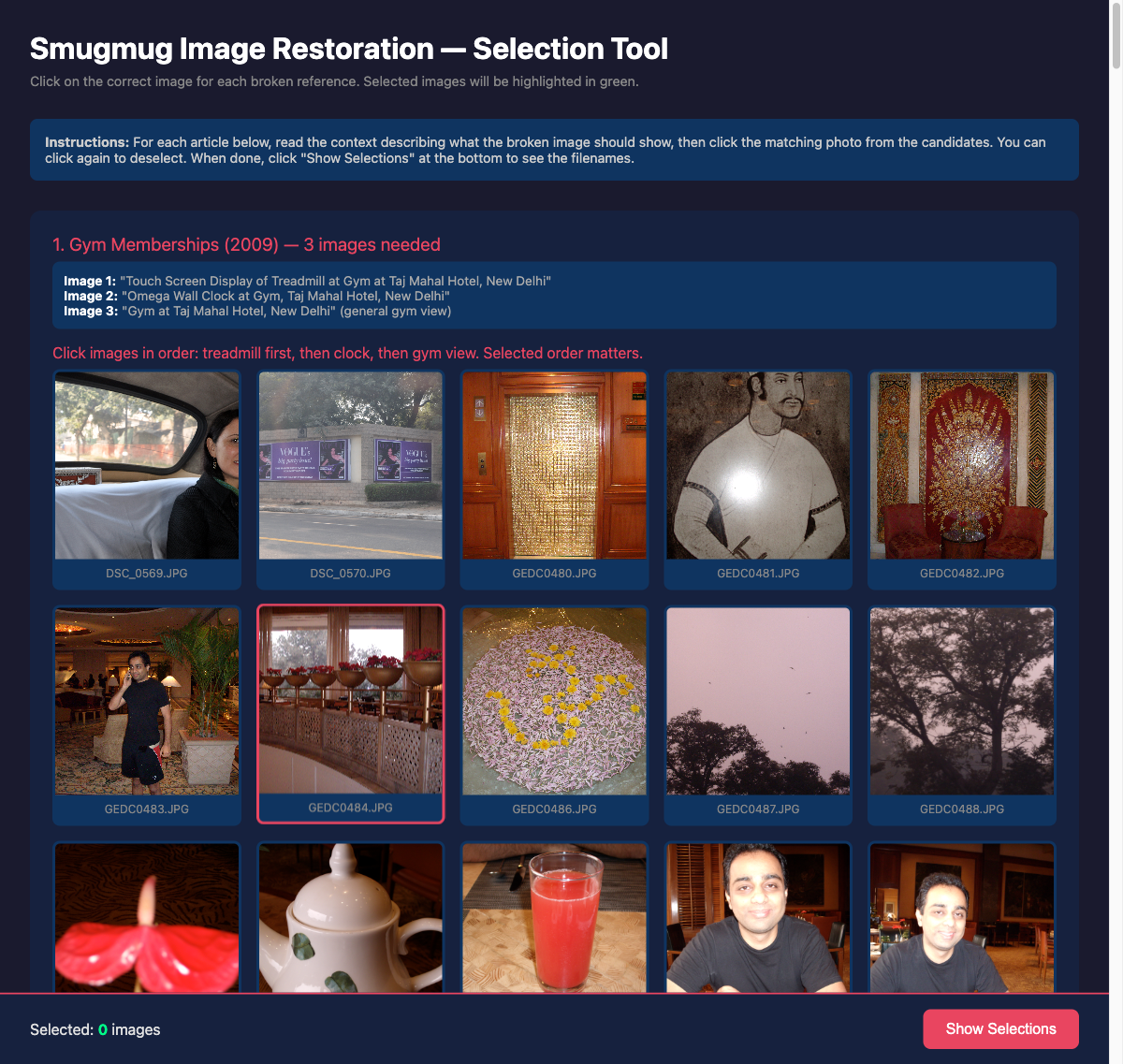 The selection tool I built to review candidate images from the SmugMug backup. Each section shows the article context and a grid of candidates to choose from.
For the graduation article, Claude identified the right photo of Vik in his cap and gown at Villanova from a 63-photo album by reading the alt text (“Vik Pant, Graduation, Villanova University”) and scanning the candidates.
The selection tool
For cases where AI vision narrowed the candidates but I wanted to confirm the selection, I had Claude build a browser-based image selection tool. A single HTML file with JavaScript, served locally via Python’s built-in HTTP server. The tool displayed the article context (what the broken image should show), then a grid of all candidate photos from the identified backup folder. Click to select, click again to deselect. Green border on selected images. A “Show Selections” button at the bottom outputs the filenames.
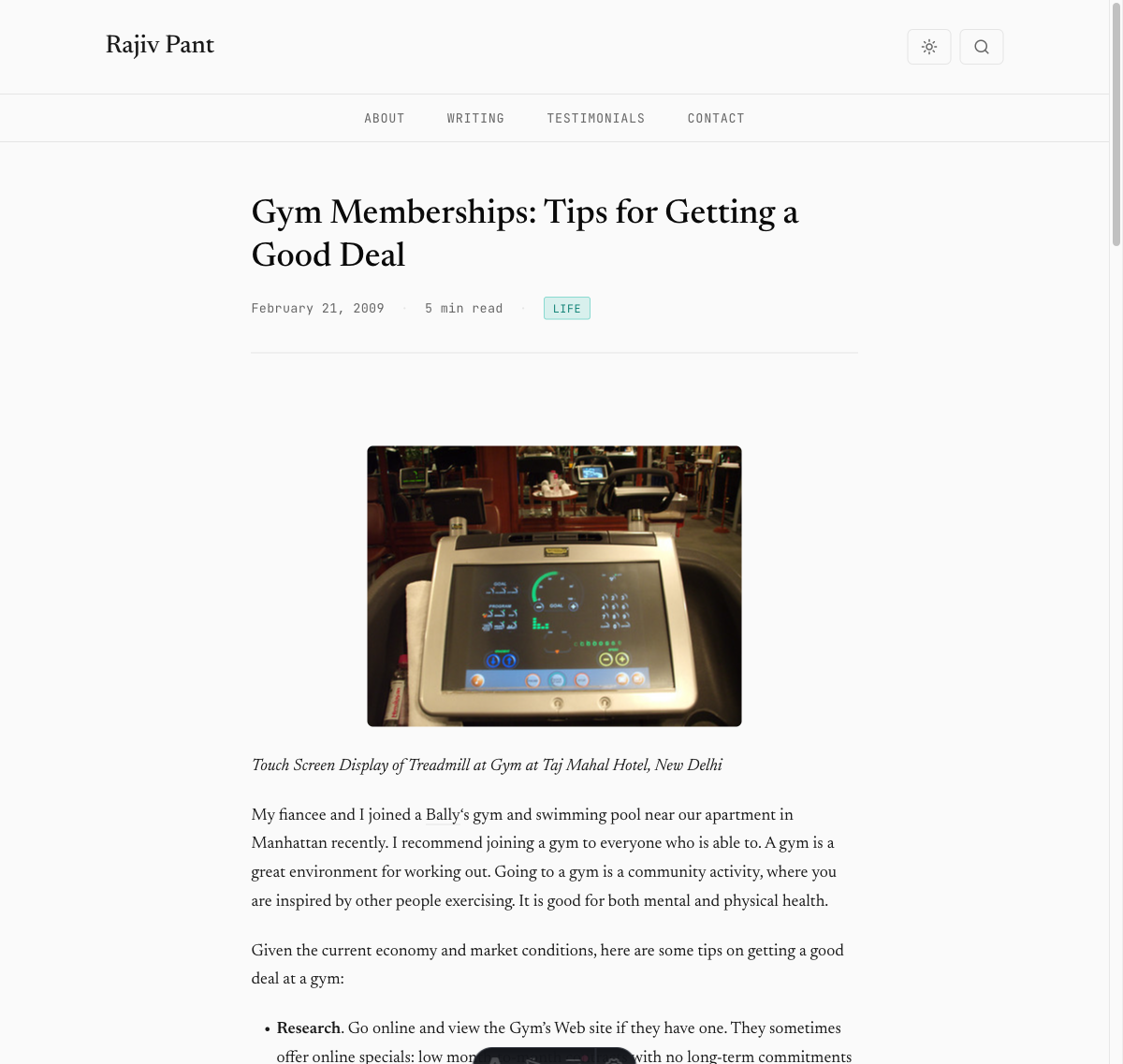 The gym membership article with all three images restored: treadmill display, Omega clock, and gym overview.
Orchestrating the work with parallel agents
This was not a project where I manually searched through folders and edited markdown files. My role was directing the AI agents: defining the strategy, breaking the work into parallelizable tasks, reviewing results, and making judgment calls the agents could not make.
The image cataloging, Wayback Machine queries, backup folder matching, and markdown edits were all done by Claude Code. When it came time to clean up the 11 articles with dead gallery links, document the lessons learned, and update the project context files, I launched three agents in parallel to handle all three simultaneously while I reviewed the restored images on the live site. The AI vision work (scanning hundreds of photos to find the right ones) would have been the most tedious part to do manually. Instead, it took seconds per folder.
The human work was the thinking: which recovery strategy to try first, what the Smugmug URL structure meant, whether a particular photo was the right match for a particular article. The execution was the agent’s job.
The result
All 16 broken embedded images were restored:
| Method | Images Restored |
|---|---|
| Local backup filename matching | 4 |
| Wayback Machine recovery | 7 |
| AI vision selection from backup | 4 |
| Own photo replacing external product image | 1 |
| Total | 16 |
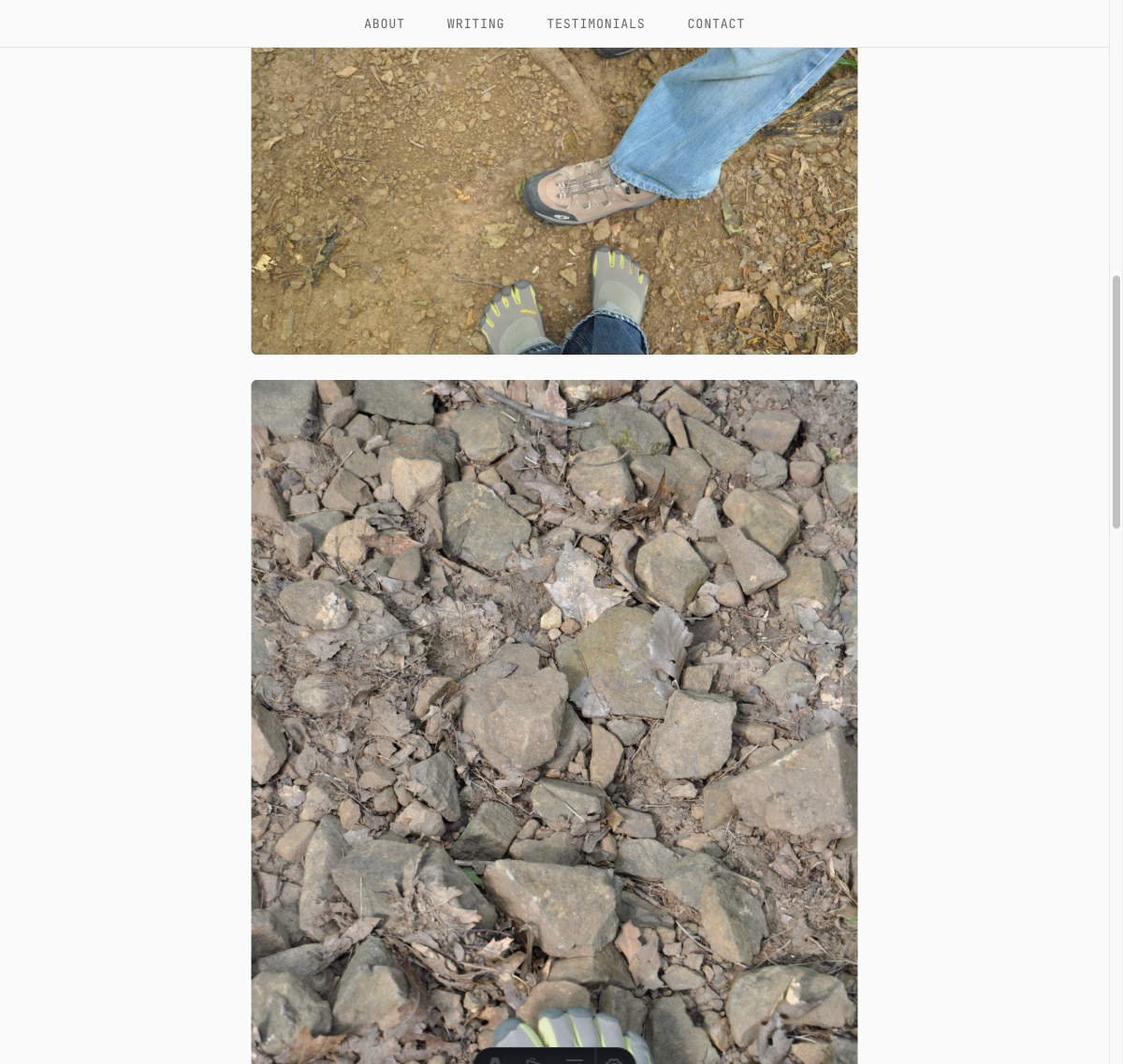 Two of the three restored hiking photos, showing the Vibram Five Fingers shoes on rocky terrain at Bluff Head, Connecticut.
What I learned
Own your images. The root cause of this entire problem was hosting images on a third-party service that I later decommissioned. If the images had been co-located with the blog posts from the beginning, there would have been nothing to break. Every content migration since then (WordPress to Hugo to Astro) would have carried the images along automatically.
The Wayback Machine is a genuine safety net. Seven of my images survived only because archive.org had crawled them at some point between 2012 and 2016. That is not something I planned for or could have predicted. It is a good argument for making your content publicly accessible, contributing to web archiving efforts, and treating archive.org as critical internet infrastructure.
AI can do the tedious matching work. The most valuable use of AI in this project was not the code or the automation. It was the visual matching: looking at 186 hiking photos and picking the three that showed barefoot shoes on a trail. That is exactly the kind of task that would take a human 20 minutes of squinting at thumbnails but takes an AI seconds.
Keep backups, even imperfect ones. My 93GB Smugmug backup had 25,989 files organized by album name, but no metadata mapping Smugmug IDs to filenames. It was an imperfect backup. It still saved 4 images directly and provided the candidate pool for 4 more. An imperfect backup is better than no backup.
The part the AI could not do
The unexpected part of this project was not the technical restoration. It was scrolling through 25,989 photographs from 2003 to 2009 while my son and I were making a masala omelette for brunch.
Those photos are from a chapter of my life that eventually gave me Fitz. Hiking in Connecticut, visiting family in India, working late nights at Knight Ridder, my brother’s graduation, becoming a US citizen. I was younger in those photos. The people in them were younger. Some of those relationships have changed, some of the places are gone. But the photos survived, first on Smugmug, then in a backup folder, and now restored to the blog posts where they originally were.
At one point I showed Fitz the photos from his uncle Vik’s college graduation, taken two years before Fitz was born, and from my former home in Ardmore near Philadelphia with the treehouse I used to have next to it. Looking through old photos with your kid is its own kind of time travel.
The AI matched the images. But the reason to restore them was not technical. It was that these small, imperfect photographs from a digital camera in 2003 are how I remember being there.